Do Expensive XLR Cables Make a Difference? What You’re Really Paying For
You won’t get better tone from an expensive XLR cable when a well-made affordable balanced lead already suits your run: tested cables stayed within 0.1 dB from 20 Hz to 20 kHz.
Higher prices can buy stronger shielding, durable connectors, strain relief, and better reliability around power or wireless interference, not lower inherent noise.
For studio patches, buy solid construction; for outdoor work, verify moisture protection.
You’ll see how routing and testing guide your choice.
Price Rarely Improves Balanced Audio
Higher price didn’t improve the measured audio performance of balanced XLR cables in a four-cable comparison. Across 20 Hz to 20 kHz, all four samples, including a $50 Mogami, stayed within 0.1 dB of one another. You shouldn’t expect that difference to alter tone in a recording, monitoring, or live-sound chain.
A 150-ohm resistor test also found no cable-specific change in the noise floor. That result isolates inherent cable noise more effectively than subjective listening and shows that price alone didn’t buy a quieter signal path. Follow-up microphone tests inside a deliberately interference-heavy “box of doom” supported the same conclusion, although the effect appeared less strongly. Spend more only when you need demonstrably better shielding or construction; don’t equate price alone with better performance.
Common-Mode Noise Rejection
Balanced XLR lines reject common-mode noise: interference that both signal conductors pick up similarly. Your receiving input subtracts the two conductors, ideally canceling noise shared by both while preserving the differential audio signal. That benefit doesn’t come from the XLR plug itself. It depends on cable geometry, conductor balance, shielding, termination quality, and the connected equipment’s input circuitry.
In one demonstration, three affordable cables captured interference from nearby sources, while a $50 Mogami captured only a minute amount. All four measured within 0.1 dB from 20 Hz to 20 kHz, so the observed advantage was lower interference pickup, not a different tonal balance. You may get value from better shielding in electrically noisy field work, but treat these demonstrations as illustrative rather than proof.
Long Cable Runs Near Power
Long XLR runs that travel beside power cables face a greater risk of picking up audible hum or interference, particularly when their shielding is limited. In tests, three affordable XLR cables collected interference near power cables, while a $50 Mogami cable captured only a minute, nearly negligible amount. That result doesn’t mean expensive cables improve your system’s frequency response or inherent noise floor; the tested cables showed no meaningful differences there.
Instead, electromagnetic fields become the practical concern when you extend a run alongside mains wiring. Keep microphone lines separated from power whenever possible, especially over long parallel distances. If you must work near power or in an unfamiliar room, choose a cable proven to resist interference rather than relying on price alone.
Shielding, Connectors, and Conductor Gauge
You’ll benefit most from better shielding when your cables run near unpredictable EMI or RFI, since tests show it reduces external interference rather than the inherent noise floor. Reliable connectors and correct Pin 1 shielding help you avoid intermittent connections and ground-related hum, especially with phantom-powered microphones. Conductor gauge matters mainly on long runs, where adequately sized conductors limit resistance and signal loss.
Shielding Against Interference
Shielding, not exotic conductor materials, appears to be the meaningful differentiator when XLR cables encounter electromagnetic interference. In a four-cable test, three affordable models captured noise from power leads and wireless chargers; a $50 Mogami showed minute, nearly negligible pickup. With a 150-ohm resistor, every cable produced the inherent noise floor, indicating external interference—not baseline cable noise—caused the variation.
| Test condition | Practical takeaway |
|---|---|
| 150-ohm termination | No inherent-noise advantage observed |
| Power-cable proximity | Pickup increased on three budget cables |
| Wireless-charger proximity | RF/EMI contamination occurred |
| $50 Mogami | Pickup was nearly negligible |
If you record on location or work in venues, shielding can justify spending more. Keep XLR runs away from power wiring and EMI sources; don’t run XLR parallel to either. Shielding reduces risk; it isn’t absolute.
Connector Quality And Reliability
A cable’s connectors and overall construction often determine whether it survives real-world use, while shielding determines how well it rejects interference. In testing, the $50 Mogami admitted only minute, nearly negligible interference, whereas three affordable cables picked up noise near power cables and wireless chargers. That advantage matters most when you record in unfamiliar locations, where EMI and RFI sources aren’t predictable. Even then, you should route every XLR away from power runs and transmitting devices whenever practical.
For live use, choose continuously shielded cables for phantom-powered condensers; gaps can cause problems. Check connector wiring: shells shouldn’t connect to Pin 1, since differently grounded equipment can create elusive hum. Robust connectors and strain relief withstand abuse; careful handling extends service life on busy stages.
Conductor Gauge And Signal Loss
Although conductor gauge affects a cable’s resistance, the four XLR cables tested showed no gauge-related signal loss: their responses remained within 0.1 dB from 20 Hz to 20 kHz, and a 150-ohm noise-floor test found no inherent recording-noise difference.
That result means you shouldn’t expect tonal or self-noise gains from a pricier cable in this test. However, the comparison didn’t measure conductor gauge, so it can’t isolate resistance or prove gauge is irrelevant, especially over longer runs. Instead, shielding drove the distinction: three affordable cables collected power-cable and wireless-charger interference; the $50 Mogami captured only a minute amount. Choose construction for durability and run length, but prioritize shielding where electromagnetic interference exists.
| Test | Result | Meaning |
|---|---|---|
| Response | ≤0.1dB | No-tone |
| Noise | Same | No-difference |
| Pickup | Mogami | Shielding |
Outdoor Moisture Exposure
The cited tests don’t assess wet-condition performance, so you can’t infer moisture resistance from the Mogami cable’s lower interference pickup or its higher price. For outdoor work, check for a moisture-resistant jacket and sealed connectors, since water can corrode connector pins and degrade contact reliability. Weatherproofing matters most when you record in rain, heavy humidity, or repeated damp conditions.
Moisture-Resistant Cable Jackets
If you need cabling for damp locations, check the manufacturer’s documentation for explicit environmental claims and applicable test data. Treat price as unrelated to outdoor durability unless the product’s specifications directly support that conclusion. Without such evidence, you should plan for conditions conservatively and protect cable runs from standing water where possible during use.
Corrosion At Connector Pins
Moisture at XLR connector pins can cause corrosion, raise contact resistance, and lead to intermittent signal loss or noise. When you use a cable outdoors, moisture can remain on the contacts and degrade the electrical interface.
Don’t treat price as proof of corrosion resistance. Instead, inspect the connector specifications for pin materials and stated corrosion-resistant plating. After outdoor use, dry the connectors and keep them covered during storage to limit continued exposure. If you see corrosion, disconnect the cable and have the connector cleaned or replaced. Don’t depend on it for a critical recording or live performance job.
When Weatherproofing Matters Most
When you expect rain, dew, or wet ground, connector protection and stated weather resistance matter more than a cable’s price. The cited XLR-cable tests measured tone and interference, not rain exposure or moisture resistance, so they can’t identify a weatherproof model. Check each manufacturer’s specifications before you deploy a cable outdoors; don’t treat a premium price as proof of sealing.
| Outdoor condition | Practical action |
|---|---|
| Rain or dew | Shelter connectors and joins |
| Wet ground | Keep joins above water |
Even a robust jacket doesn’t establish moisture protection at the connector interface. Use covers, elevation, and dry routing, then inspect connectors before powering equipment. If specifications don’t address weather resistance, treat the cable as unverified for wet use.
Podcast Studio Patch Examples
In a typical podcast studio, you can use short XLR patch cables between microphones, preamps, and mixer inputs without expecting a tonal difference: tests of four cables kept frequency response within 0.1 dB from 20 Hz to 20 kHz and showed no measurable noise-floor change with a 150-ohm noise source. That means you can select affordable, well-terminated cables for fixed desk routing, provided you keep them clear of power leads and wireless chargers.
Three affordable cables picked up interference near those sources, whereas a $50 Mogami picked up only a minute amount. If your patches are frequently moved or handled, choose robust connectors and jackets. Spend more for durability or difficult-to-control interference, not for proven tonal improvement. This focuses your budget on reliable operation.
Phantom Power Can Expose Faults
Phantom power can reveal cable faults that remain invisible with dynamic microphones because a condenser depends on a stable DC path through the balanced XLR connection. That makes a continuous shield especially important: it provides the return and screening path the system expects.
A reported cable lacked a continuous shield, a defect that might not stop a dynamic mic from passing audio but can matter when you switch on phantom power. Check that Pin 1 remains correctly terminated to the cable shield, not tied to the connector body. If that body touches equipment grounded elsewhere, you can create a hard-to-trace hum or intermittent noise. Test suspect leads with a continuity meter and inspect terminations before blaming the microphone, preamp, or room for hidden faults.
Gold-Plated Connectors Don’t Improve Sound
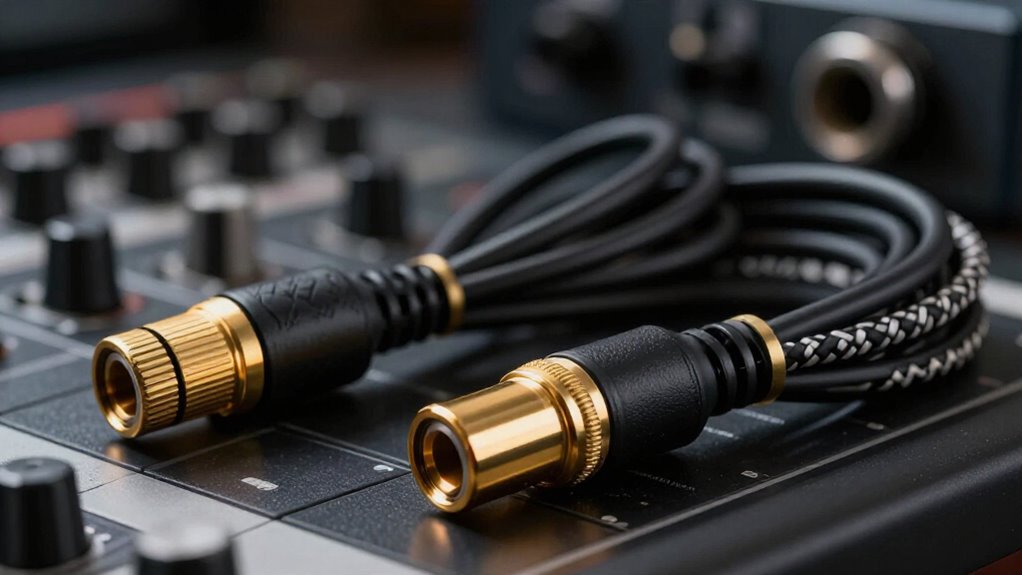
Gold-plated XLR connectors don’t make a cable sound better: tests of four cables, including a $50 Mogami, found no measurable tonal differences from 20 Hz to 20 kHz, with all results within 0.1 dB. Those tests didn’t isolate gold plating, so they can’t establish any sonic benefit. What they did reveal was a shielding difference: three affordable cables admitted interference, while the Mogami captured only a minute amount. When you choose cables, prioritize the factors that affect noise rejection and durability:
- Effective shielding reduces electromagnetic interference in challenging environments.
- Secure connectors and strain relief preserve reliable signal paths.
- Gold color or plating alone doesn’t demonstrate audio performance.
You may value gold plating for corrosion resistance or appearance, but don’t pay premium expecting improved tone.
Use a Cable Tester First
Before you blame an XLR cable for noise, crackles, or dropouts, run it through a cable tester. It checks each conductor for opens, shorts, and pin-to-pin miswiring—faults that create audio loss or hum. Neither a premium price nor a brand guarantees sound solder joints or unbroken conductors.
Verify that the shield has continuity from end to end, particularly when you’ll send phantom power to a condenser microphone. A damaged shield or connector can compromise powering and noise rejection. Test your cables routinely before live-stage work: case wheels, coiling, and rough handling stress connectors and wires.
If a cable fails any test, repair or replace it before judging differences between cable models. Otherwise, you’re comparing a fault against a working cable, not evaluating sound quality.
Conclusion
Expensive XLR cables rarely make your recordings sound better when your balanced line works correctly. You’ll gain more by choosing reliable connectors, adequate shielding, appropriate gauge, and durable jackets for your environment. For long runs, power-heavy locations, or outdoor use, buy construction that addresses those risks—not gold plating or marketing claims. Test cables before sessions, especially when phantom power is involved. If a cable passes testing and remains sound, you don’t need to replace it.