How to Choose an Audio Interface: Inputs, Preamps, Latency and Connectivity
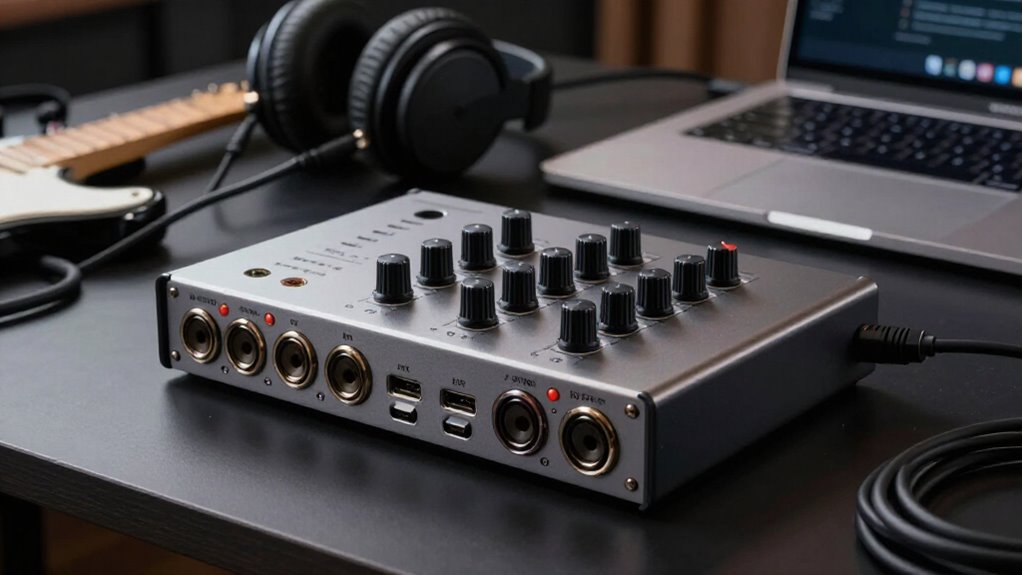
Choose an interface with enough simultaneous inputs, outputs, and preamps for current needs, then allow expansion through ADAT if you’ll record more sources.
Confirm +48V phantom power for condensers, usable low-noise gain for quiet dynamics, and stable ASIO or Core Audio drivers.
Match USB, Thunderbolt, or PCIe to your computer and track count; verify USB-C protocol, bus power, and exact iPad compatibility.
Test latency, warranty, and expansion limits; the next sections clarify practical trade-offs clearly.
Start With Input Count
Start by counting the sources you’ll need to record at the same time. A singer-songwriter recording one vocal and one guitar can work efficiently with two inputs. If that configuration already feels restrictive, choose a four-input interface so you can add another microphone, instrument, or collaborator without replacing hardware.
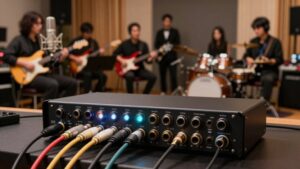
For drums, plan on at least eight simultaneous inputs to accommodate multiple close and overhead microphones. Verify mic-preamp count separately from the interface’s total input specification: some channels accept line-level sources only and won’t directly support microphones. Match capacity to your current sessions, then allow measured room for likely expansion. Don’t buy a large input count simply for the headline number; unused channels increase cost and complexity without improving your recordings. Plan sessions before purchase.
Need Phantom Power?
Need Phantom Power?
Check for +48 V phantom power if you’ll record with a condenser microphone, because most condensers need it to operate. Confirm that the interface can supply it before you buy, rather than assuming every mic input provides the required voltage. Budget models often include this feature: the Behringer U-Phoria UM2 and SSL 2+ MKII are examples.
If you currently use only dynamic microphones, you usually don’t need phantom power, but it gives you flexibility to add a condenser later. For multi-microphone sessions, inspect the switching arrangement. Some interfaces enable phantom power independently on each input, while others apply it to a shared input group or all preamps at once. Per-input switching lets you power condensers selectively; shared switching requires you to account for microphones together.
Driver Stability and Software Support
An interface’s driver quality often matters more than its USB or Thunderbolt connection, because stable, efficient drivers determine whether your DAW runs reliably at low latency. Confirm manufacturer-supported drivers for your operating system before buying. On Windows, use dedicated ASIO drivers; Mac systems generally use Core Audio. Test buffer performance with your actual sessions, plug-ins, and track counts.
| Check | Why it matters |
|---|---|
| Dedicated Windows ASIO | Avoids generic-driver compromises |
| Current control software | Enables updates and routing |
| Computer compatibility | Prevents installation surprises |
The Behringer UMC22 lacks a dedicated driver, so ASIO4ALL may limit latency and device switching. Focusrite Control 2 adds hands-free control and firmware updates; Scarlett 2i2 drivers target low latency. Audient’s iD4 MkII supports Windows well, but check older-computer compatibility before committing your budget.
USB, Thunderbolt, or PCIe
Choose USB for broad compatibility and sufficient bandwidth for most home or project-studio recording setups. If you need higher channel counts, lower-latency processing, or expansion, Thunderbolt offers up to 40 Gbps, while PCIe provides desktop systems with high-track-count performance. Verify your computer’s actual port support—USB-C doesn’t automatically mean Thunderbolt—and match the connection to your recording needs.
USB: Universal Compatibility
USB is the practical default for most home and project studios because it works with a wide range of computers, remains backward-compatible, and provides enough bandwidth for typical recording sessions. USB 2.0‘s 480 Mbps rating comfortably handles common multitrack work, while USB 3 provides extra headroom for interfaces with more channels. Before you buy, verify both the connector and protocol: USB-C describes a port shape, not guaranteed compatibility, and a USB-C port doesn’t automatically support every interface.
Many compact USB interfaces draw power from your computer, so you can record without an external supply. This simplifies mobile rigs and reduces cable clutter. However, you can’t daisy-chain USB interfaces, so plan expansion through an interface’s own inputs, ADAT capability, or separate computer direct connections instead.
Thunderbolt: High-Speed Performance
Thunderbolt targets sessions that demand more than a typical USB setup, offering up to 40 Gbps with Thunderbolt 3 and efficient direct communication with computer memory for low-latency audio and plug-in processing. This architecture matters because it can reduce round-trip latency beyond what bandwidth figures alone suggest. Choose it when you need high channel counts, reliable low-buffer operation, or room to expand a studio system.
For example, Apollo Twin X and Apollo x4 interfaces can daisy-chain, letting you build an Apollo configuration without replacing the original unit. Thunderbolt is standard on current Macs and appears on many modern Windows systems, but you’ll verify your computer’s port type, protocol support, and compatibility carefully before buying. For smaller sessions, USB remains sufficient; select Thunderbolt for capacity.
PCIe: Desktop Studio Power
PCIe interfaces install directly inside a desktop computer, providing a dedicated internal connection for high-track-count recording, mixing, and other demanding studio workloads. You install a PCIe card in an available expansion slot, so this format suits fixed systems rather than laptops or mobile rigs. Its direct internal path supports the sustained data handling required in professional sessions with simultaneous channels and processing-intensive mixes.
PCIe stands alongside USB and Thunderbolt as a common interface connection type, but it prioritizes permanent installation over portability. You can find PCIe models at accessible price points, so desktop-only operation doesn’t automatically mean premium-only cost. Choose this format when your studio remains centered on one computer and demanding recording or mixing work matters more than carrying the interface between locations.
Choosing The Right Connection
Your computer, channel-count needs, and expansion plans should determine the connection you choose. USB suits most home and project studios: USB 2.0 delivers 480 Mbps, works with many computers, and often powers an interface directly from the bus. It’s widely compatible and backward-compatible.
Choose Thunderbolt 3 when you need higher channel counts, low-latency processing, or daisy-chained devices. Its 40 Gbps bandwidth supports larger expandable systems. For a fixed desktop studio with demanding track counts, PCIe provides an internal connection, but it won’t work with a laptop.
Don’t assume USB-C means Thunderbolt: the ports look alike but aren’t interchangeable. Confirm your computer’s port and protocol, then verify the interface supports the same standard before you buy. This check prevents connection failures and preserves your planned workflow.
Mobile Recording: Bus-Powered Interfaces
A USB-bus-powered interface runs from your computer, so you can record without carrying a separate power supply. Choose a compact, durable model with the inputs you need, and confirm that its USB, USB-C, or Thunderbolt connection and drivers support your device. Monitor battery drain during location sessions, especially when you use phantom power or run other recording hardware.
USB Bus Power
For mobile recording, a USB bus-powered interface draws operating power directly from your computer’s USB port, eliminating a separate power adapter. That reduces cabling and lets you run a compact recording rig from one host connection. The Audient iD4 MkII, for example, uses USB bus power, making it suitable for sessions away from mains power.
Before you buy, confirm that your laptop, phone, or tablet supplies sufficient power and supports the interface’s connection standard. USB-C describes the connector, not guaranteed mobile compatibility: Volt interfaces connect to macOS and Windows computers, while phone and tablet support varies by model. Bus power works best when you need a lower input count. Still, match available microphone, instrument, and output connections to the sources and monitoring you’ll use.
Portability and Durability
Bus power simplifies a mobile rig, but physical size and construction determine how well the interface travels. Choose a compact desktop unit that fits beside your laptop, cables, and microphones without crowding the work surface. The bus-powered Audient iD4 MkII suits small tracking setups, while USB-C models such as the Focusrite Scarlett Solo 4th Gen and PreSonus Studio 24c keep connector space compact.
Prioritize a chassis that tolerates repeated packing. The Scarlett 2i2 4th Gen combines a compact format with rugged construction; the RME Babyface Pro FS adds durable metal housing. Size the input count for the session: two inputs cover vocal and guitar, whereas a full drum kit generally needs eight or more. Small, low-cost options can impose compromises, so assess them carefully.
Device Compatibility
Before you buy, confirm that the interface supports your exact phone, tablet, or computer and its operating system; a USB-C connector alone doesn’t guarantee compatibility. For mobile recording, choose a compact, USB-bus-powered model when your host device can supply the required connection and power. This eliminates a separate interface power supply and keeps your rig portable. Check manufacturer compatibility charts, supported OS versions, and any required adapters before recording.
The Audient iD4 MkII is bus-powered and supports USB 3.0. Volt interfaces use USB-C and support macOS, Windows, and iOS. The Scarlett Solo 4th Gen provides a compact USB-C option, but you should verify your mobile device’s connection and power requirements. Finally, match input count to the session: two inputs suit solo work, not sessions.
Battery Drain Management
A bus-powered interface draws operating power directly from your phone, tablet, or computer, so it can reduce available battery life during recording. Choose a compact USB-C model that explicitly supports your phone or tablet; a USB-C connector alone doesn’t confirm compatibility or power delivery. To extend runtime, activate only the inputs, phantom power, monitoring, and onboard features your session requires, then disconnect the interface when you finish.
Record at 44.1 or 48 kHz unless your project needs a higher rate, because higher sample rates increase processing and system demand. If your device can’t sustain the session, add a compatible powered hub or select an externally powered interface. Verify its power budget supports the interface and every connected accessory, including microphones or MIDI equipment.
iPad Class-Compliance Check
Don’t assume a USB-C audio interface will work with an iPad: check the manufacturer’s iOS or iPadOS compatibility listing for the exact model. USB-C alone doesn’t guarantee support: PreSonus Studio 24c and MOTU M4 list iOS compatibility, whereas Scarlett 2i2 4th Gen is listed for macOS and Windows only.
Confirm power requirements before connecting. A bus-powered interface may need a powered USB hub or separate power source for reliable iPad operation. Match the iPad’s port and any adapter or cable to the interface’s connection; USB-C and Thunderbolt ports can look alike but aren’t interchangeable. Finally, verify that class-compliant operation exposes the inputs, outputs, and monitoring features you plan to use on iPad. This prevents unsupported routing or control functions during recording sessions later.
Three-Year Warranty, Better Resale
Prioritize warranty terms alongside audio specifications: a three-year warranty can reduce your exposure to defect-related repair or replacement costs compared with the two-year coverage listed for the Sweetwater interfaces.
Before buying, compare each model’s coverage duration, exclusions, claim process, and regional eligibility. Confirm whether warranty rights transfer to a subsequent owner; transferable coverage can make your interface more attractive used.
Don’t treat warranty length as a guaranteed resale premium: condition, demonstrated reliability, market demand, and included cables or adapters affect price. Retain your dated receipt, record the serial number, and store original packaging when practical. These records support a defect claim, establish provenance, and help you ship the unit safely if you sell it. They also let buyers verify identity and complete included-item checks.
Avoid Inflated Preamp Gain Claims
Why does preamp gain matter? You need enough clean amplification to raise a quiet microphone above your interface’s noise floor without turning the gain knob into a hiss generator. Don’t treat a large decibel figure as proof of better sound. The Scarlett 2i2 4th Gen specifies 69 dB of gain and a low noise floor; the Audient iD4 MkII specifies 58 dB of clean gain. Compare both figures with your microphone’s output and intended source.
- Picture a quiet spoken vocal through a low-output dynamic mic: usable, low-noise gain matters.
- Picture the meter barely moving: additional gain helps only if it remains quiet.
- Picture cranking a noisy preamp: hiss rises with the signal.
Manufacturers measure gain differently; treat it as one specification, not a ranking.
Confirm ADAT Expansion Options
ADAT Expansion Options
ADAT expansion lets you add inputs without replacing your interface. Check whether it provides optical input, output, or both. An ADAT input accepts channels from a compatible external preamp, while output can feed other ADAT-equipped gear.
- Picture tracking a drum kit: your two-input interface handles overheads, while an eight-channel ADAT mic preamp brings in kick, snare, toms, and room mics.
- Verify channel capacity at your intended sample rate. A standard ADAT preamp can supply up to eight inputs, but higher recording formats may reduce available ADAT channels.
- Match the connection to your growth plan. If you need extra microphone preamps, prioritize ADAT input; choose input and output if you’ll integrate additional digital equipment.
This preserves your workflow while expanding capacity for larger sessions easily.
Conclusion
Choose an interface around the sessions you’ll actually record, not headline specifications. Count simultaneous sources, verify phantom power and clean gain requirements, then confirm stable drivers for your operating system and DAW. Match USB, Thunderbolt, or PCIe to your computer and latency target. For mobile use, check bus power and iPad class compliance. Verify ADAT expansion, warranty terms, and resale value. You’ll avoid exaggerated preamp claims and buy capacity you can use for years ahead.
Audio Interface Buffer Size & Latency Calculator
Convert audio interface buffer size and sample rate to milliseconds, estimate round-trip delay with your own overhead, and view a latency chart.
Recording Storage & Session Length Calculator
Estimate uncompressed recording size per hour and per session, and how many hours fit on a card, from sample rate, bit depth and track count.