
Why Is My Sustain Pedal Not Working? Polarity, Jacks and Settings Fixes
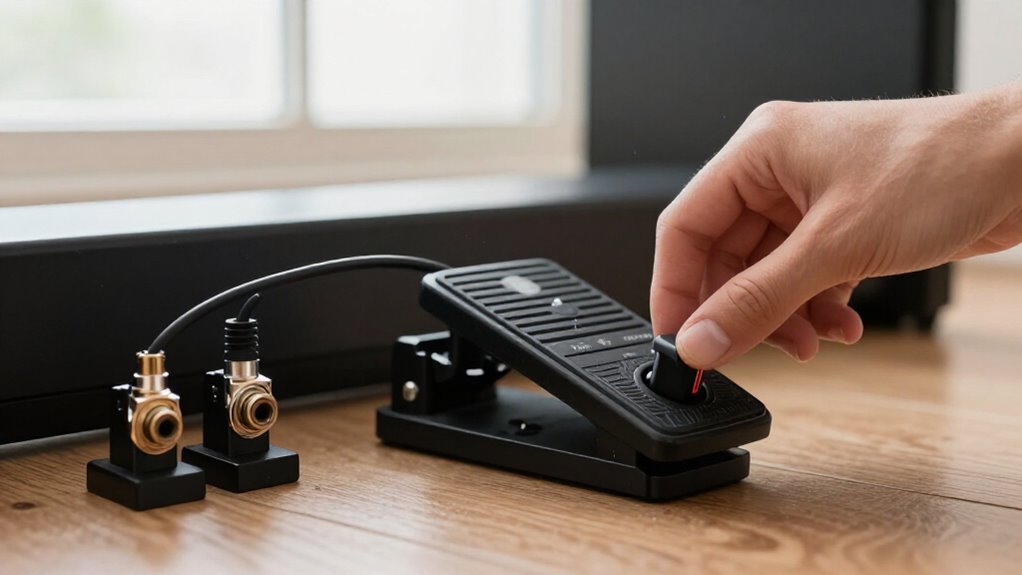
Your sustain pedal usually fails because it’s in the wrong jack, has reversed NO/NC polarity, or isn’t configured to send CC64. Connect it to the keyboard’s dedicated Sustain or Footswitch input, power on with your foot off the pedal, and test it again.
In MainStage, use MIDI Message Monitor to confirm CC64 values 127 pressed and 0 released. Try the polarity switch or another keyboard, especially with Casio models. The checks below isolate the cause.
Verify the Sustain Jack
Start by confirming that the pedal connects to the keyboard controller’s dedicated SUSTAIN jack, or the PEDAL jack if it has only one footswitch input. Using an expression, controller, or auxiliary jack won’t generate sustain messages, even when the pedal itself works. Match the device type to the input: a sustain pedal is a switch, while an expression pedal supplies control data.
Turn keyboard off before connecting the pedal, then turn it on with your foot off the pedal. Many controllers sample switch state during startup, so holding it down can produce an incorrect reading. If you’ve moved the pedal, restart the keyboard after reconnecting it.
Then test press-and-release cycles. Notes should sustain when you press down and stop sustaining immediately when you release.
Confirm the 1/4-Inch Sustain Input
If the panel provides both SUSTAIN and PEDAL jacks, follow the manual’s labeling and compatibility guidance. Use the SUSTAIN-labeled input first, and test the other only when the manufacturer specifies that it supports sustain operation. With a dedicated sustain jack, turn the keyboard off, disconnect the PEDAL, then reconnect it securely.
Power the keyboard on while your foot is off the pedal. This startup state lets instruments that detect pedal status at boot establish the correct switch condition. Recheck the plug once more.
Test MIDI CC64 Messages
Use a MIDI monitor to confirm that the pedal transmits sustain as MIDI CC64: it should send value 127 when pressed and 0 when released, typically on Channel 1. In MainStage, open the Edit tab and launch MIDI Message Monitor. Enable every filter box, click Clear, then press and release the pedal four times. Check for CC64 events and verify each press produces 127 and each release produces 0.
If CC64 never appears, or another controller number appears, assign your controller’s pedal input to CC64 or create a MainStage MIDI translation to convert the incoming CC to 64. If CC64 values are correct but sustain remains reversed, the data path is working; investigate polarity or event order. Screenshot monitor results and settings for diagnosis.
Sustain Pedal Switch Types
Identify whether your pedal uses momentary action, which sustains only while you hold it, or latching action, which toggles sustain with each press. Then verify its contact polarity: normally open (NO) closes when pressed, while normally closed (NC) opens.
If sustain works in reverse or toggles unexpectedly, set the pedal or keyboard to the matching NO/NC and momentary mode.
Normally Open Switches
A normally open (NO) sustain pedal leaves its circuit open at rest and closes it only when you press it. This electrical state tells a compatible keyboard to begin sustain at the moment your foot depresses the switch. NO operation is common on many Korg and Casio instruments, although you should verify your model’s manual.
To diagnose an NO pedal, connect it to the sustain jack, power on the keyboard without pressing the pedal, then play and hold a note. Press the pedal: the note should continue after you release the key. If sustain starts before you press, or stops when you press, the pedal’s polarity doesn’t match the keyboard. On a pedal with an NC/NO selector, set it to NO and retest.
Normally Closed Switches
Normally closed (NC) sustain pedals conduct while you leave the pedal unpressed and open the circuit when you press it. This wiring is common on Yamaha and Roland keyboards, which typically expect NC polarity at their sustain inputs.
If you connect a normally open pedal instead, the keyboard may interpret the resting state as pressed, causing reversed sustain: notes hold when they shouldn’t and stop when you press the pedal. Inspect the pedal’s underside or label for NC and NO markings, or check any printed wiring symbol. For a pedal with a polarity switch, move the switch to NC, then reconnect it and retest. A Yamaha FC5 is a typical NC-compatible choice for Yamaha sustain jacks. If reversal remains, verify your keyboard’s pedal polarity.
Momentary Versus Latching
After confirming pedal polarity, check whether the pedal and its assigned input use momentary or latching operation. A typical sustain switch is momentary: it sends MIDI CC64 value 127 when you press it and 0 when you release it. This is the standard sustain behavior on Channel 1. If notes sustain only while you hold the pedal, that may be correct; if you expected a toggle, you need a latching setup.
A latching pedal, such as a Boss FS-5L, toggles sustain with each press, allowing set-and-forget operation. If your pedal unexpectedly toggles or fails to release when lifted, inspect the keyboard or software assignment. Select momentary behavior for a conventional sustain pedal. In MainStage, select momentary behavior when sustain must release on pedal lift.
Keyboard Boot-Up Detection
Some keyboards read the sustain pedal’s switch state during startup and set polarity from that signal. If you hold the pedal down, or it presents a closed circuit at power-on, you may find its operation reversed after boot.
Power off, release the pedal, and restart the keyboard without changing or reseating the connection.
Startup Pedal State Detection
Many keyboards determine the sustain pedal’s electrical state during startup, so powering on while the pedal is pressed can make the instrument interpret its polarity incorrectly. To test startup detection, turn the keyboard fully off and confirm the pedal plug is firmly seated in the sustain jack. Leave the pedal completely unpressed, then power the keyboard on. Wait until startup finishes before pressing it.
A misread can produce inconsistent sustain responses, such as sustain engaging on the first press but ending as soon as you release the pedal. The learned state may remain active until a correct power cycle. If you connected the pedal after startup or noticed a partially inserted plug, repeat this controlled test with all connections secured before checking other settings.
Why Depressed Pedals Reverse
A reversed sustain response usually means the keyboard latched the pedal’s open/closed switch state incorrectly during boot-up. Your pedal is a simple switch, but its electrical meaning depends on the state the firmware records as normal when initialization begins. If the pedal is depressed, the plug is moving, or the connector isn’t fully seated, the keyboard can assign sustain-on to the wrong switch position. You may then hear notes sustain after release, or find that pressing and lifting produce opposite results.
This symptom points to startup-state detection, not necessarily a failed pedal. It can also appear when a polarity mismatch changes the signal seen at initialization. If repeated restarts with a released pedal restore operation, you’ve isolated the fault to boot detection.
Correct Power-On Procedure
Then power the keyboard on without touching the pedal. During startup, some instruments sample the foot-switch circuit and assign its open or closed state as normal. If you hold the pedal down, use a partially inserted plug, or connect it after startup, the keyboard may latch incorrect polarity or switching behavior. Sustain can operate in reverse until you restart.
To reset detection, switch the instrument off. Check the plug is secure in sustain jack, release pedal, and start it. Verify normal action: press for sustain; release to stop it. Avoid unplugging or reconnecting the pedal while power is on.
Test Pedal on Another Keyboard
To isolate the fault, unplug the pedal from your current keyboard and connect it to another keyboard’s dedicated SUSTAIN or FOOTSWITCH jack. Press and release it several times while playing notes. Normal operation on the instrument indicates that the pedal likely works; inspect the original keyboard’s jack, polarity detection, or MIDI and pedal-assignment settings.
Identical symptoms on both instruments, such as sustain latching after one press or notes never releasing, point to the pedal or an incompatible normally closed/normally open configuration. If your pedal includes a polarity switch, flip it and repeat the test immediately. This verifies the required NC/NO orientation. When available, monitor the keyboard’s MIDI output: Channel 1, CC64 should change to 127 when you press pedal and 0 when you release it.
Certain Casios Require Proprietary Pedals
Certain Casio keyboards require a Casio-compatible sustain footswitch with the correct proprietary wiring or polarity, so a generic NC/NO pedal may appear reversed, latch sustain, or fail entirely. Before you investigate MIDI, MainStage, Cantabile, or other software settings, verify that your pedal matches the SUSTAIN or footswitch jack specification for your exact Casio model. Check the manual or Casio support documentation for the approved pedal type.
An incompatible aftermarket switch can send the wrong resting state, causing notes to sustain when you release the pedal, remain held, or never sustain. To isolate the fault, connect a known-good Casio-compatible footswitch, or one explicitly specified for Casio sustain, directly to the keyboard. Power the keyboard on with that pedal connected, then test press and release behavior.
Don’t Use an Expression Pedal
- A sustain footswitch sends discrete CC64 states: On=127, Off=0.
- An expression pedal outputs a gradual control value, usually CC1.
- Yamaha and Roland switches commonly use normally closed wiring.
- Korg and Casio models commonly expect normally open wiring.
If sustain responds only during gradual movement, you’ve got an expression device or wrong pedal type. Use only a labeled footswitch matching required polarity; fix reversed response through CC64 switching logic first.
Inspect Pedal Cable for Damage
Intermittent sustain or a pedal that stays engaged after one press often points to a damaged cable or plug rather than a keyboard setting. Inspect the lead from end to end, focusing on the strain-relief section beside the plug. Look for cuts, sharp kinks, crushed spots, or exposed conductors that can interrupt the pedal’s on/off signal.
With the keyboard powered on, hold notes and gently wiggle the connector and cable near each end. If sustain toggles, drops out, or changes state, suspect an internal break. Confirm that the plug is fully inserted in the SUSTAIN/PEDAL jack and check for bent pins or a loose fit. Poor contact can resemble a polarity fault. Test a known-good replacement pedal to isolate the hardware fault with certainty.
Conclusion
To restore sustain, verify that you’re using the dedicated 1/4-inch sustain jack, not an expression input, and confirm your keyboard receives MIDI CC64. Check pedal polarity, then reconnect or power-cycle the keyboard so it detects the switch correctly at boot. Test the pedal on another compatible keyboard, inspect its cable and plug for damage, and review model-specific requirements. If you own certain Casios, use the required proprietary pedal rather than a generic switch for testing.