Hardware vs Software Compressor: Is Outboard Gear Worth It at Home?
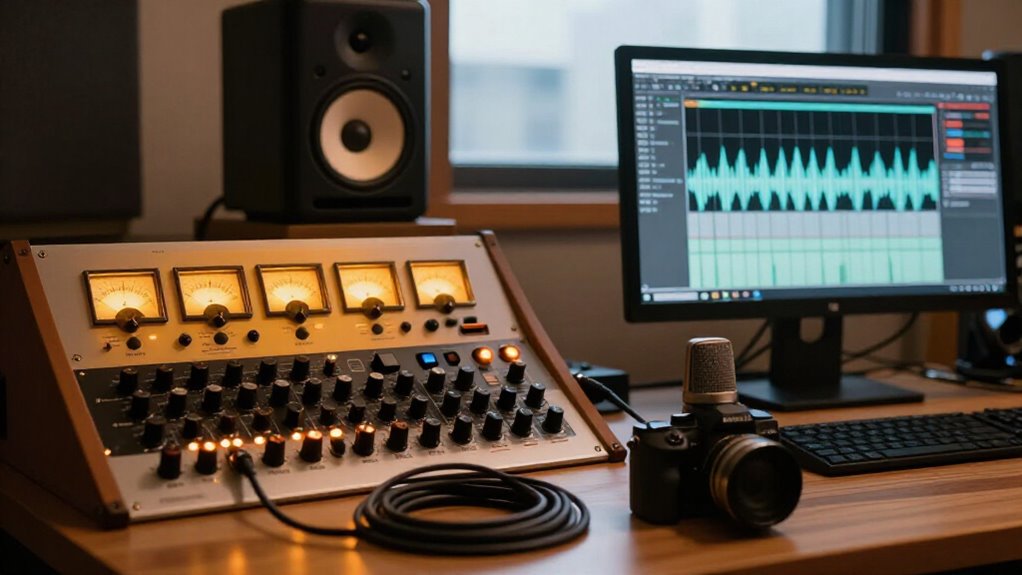
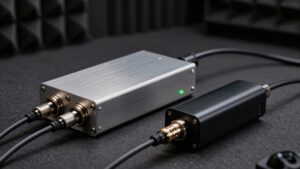
Outboard compression is worth it at home if you want to commit a FET, VCA, or optical circuit’s response while tracking. You get tactile control, real analog headroom, and distinctive saturation, but you must manage +4 dBu levels, I/O, noise, recall notes, and occasional repairs.
Plugins win for mixing: instant recall, automation, sidechains, parallel routing, many instances, and offline bouncing. Your workflow, not prestige, should decide; the practical tradeoffs become clearer below as you continue.
Recall Speed and Session Portability
Software wins decisively on recall speed: you can reopen a DAW session and restore every compressor parameter instantly, even after changing projects, computers, or mix revisions.
You’ll move a plugin-based mix between compatible systems with its settings intact, but licensing, subscriptions, and OS support can interrupt access. High-end hardware with stable power remains physically dependable across DAW or computer changes, so it offers stronger operational portability than platform-bound software.
| Workflow | Practical result |
|---|---|
| Plugin session | Exact settings return |
| Analog outboard | You reset controls manually |
Modern recall-equipped units store positions, yet you must verify levels and source behavior for a match. Print processing while tracking to eliminate later recall work, but you’ll surrender mix-stage adjustment. Hardware firmware updates are free; software upgrades may carry recurring costs.
FET, VCA, Optical, and Algorithms
Why can two compressors set to the same threshold and ratio behave so differently? Their gain-reduction elements follow different envelope and nonlinear response patterns. A hardware FET reacts fast, emphasizes transients, and can feel increasingly forceful when you drive it hard; that horsepower suits assertive vocals, drums, or bass. A VCA usually delivers punchy, consistent control and remains strong at deep reduction. An optical design tracks the program more gradually, giving you smoother, changing movement.
Software can calculate detection and gain with clinical precision, making transparent control and recall easy. Yet under heavy reduction, some algorithms feel too perfect or mechanical beside physical circuits. Analog-style plugins address this with modeled response curves or controls such as an analog-deficiency knob. Choose what your source needs.
Latency, Noise, and Headroom
Latency, noise, and headroom often matter more in a home studio than the compressor’s pedigree. Hardware feels practically latency-free only when you print it in real time during tracking or mixing. Plugins can monitor at near-zero delay in many DAWs, though buffer settings may still add latency.
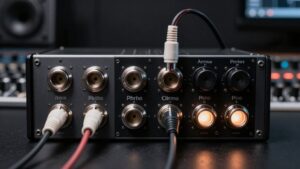
With outboard gear, you must match interface and compressor levels, typically +4 dBu, and gain-stage the preamp compressor interface path. A mismatch can distort converters, raise noise, or leave the signal too low to cross the threshold properly. Each analog stage also contributes a real noise floor and finite headroom. Plugins avoid external I/O noise and offer enormous internal headroom, yet they can clip when driven excessively. Hardware commits processing; software lets you revise it without reprinting.
Sidechain Routing and Automation
Sidechain flexibility often exposes the clearest practical divide between a DAW compressor and outboard hardware. In either setup, you separate the detector signal, which triggers gain reduction, from the program path, which you’re compressing. Your DAW lets you switch sources, automate threshold, ratio, or routing by clip or section, so you can refine ducking quickly. For tempo-synced pumping, automate sidechain level or use dynamic EQ-style triggers.
Outboard routing needs spare I/O, correctly level-matched connections, typically +4 dBu, into the sidechain input. Repatching slows section-to-section changes, and you’ll usually commit the detector level or print moves in real time. Software saves every routing and automation choice with the session; hardware requires notes on patchbay links and control settings for reliable recall at a later date.
Plugin Formats and Console Inserts
Plugin formats keep compression inside the DAW, where you can place an instance on any channel, aux, or mix bus and audition changes without consuming interface I/O. You can reroute signals internally, compare models, revise thresholds, and bounce offline without committing the result in real time.
A hardware insert requires a send-and-return path: configure your interface outputs and inputs, match operating levels, commonly +4 dBu, and account for conversion and routing. On a mix bus, you’ll print the processed pass in real time, which slows recalls and revisions.
During tracking, however, outboard can be simpler: run the source through the compressor into the interface and capture its shaping directly. Choose plugins for rapid, flexible mixing; choose inserts when you value committed front-end control and hardware character.
1176 Calibration and Resale
An 1176-style compressor holds its value only when it delivers the expected gain-reduction behavior, metering, noise performance, and attack/release response under load.
Calibration protects the roughly 75 percent resale recovery you may expect if the unit simply isn’t your taste. Before buying used, test input and output controls, ratio switching, meter modes, idle noise, and compression at several levels. You aren’t paying for a faceplate; you’re paying for repeatable behavior.
Against same-price bundles such as FabFilter Total Bundle, Soundtoys 5, or iZotope RX Advanced, hardware earns its place only if its response improves your recordings. Modern premium units usually remain reliable across DAW changes, so routine recalibration is less concerning than purchase verification. Verify it before negotiating, then document the test results for resale.
Hardware Repair Downtime
Although a well-built outboard compressor can run reliably for years, a single failure can remove a critical tracking or mix-printing tool from your room for weeks while parts, technician labor, and shipping align. Firmware updates can improve control logic or recall behavior, but they can’t cure a failed switch, potentiometer, power supply, connector, or analog gain stage; those faults require diagnosis and workshop time.
If you depend on that unit’s character during vocal tracking or final mix printing, plan a substitute before it fails: keep another compressor available or match the workflow with a plugin. Software remains immediately deployable, so it won’t stop a session because a courier or back-ordered component intervenes. Factor this operational risk and roughly 75-percent resale recovery into purchase decisions.
Rack Space and Power Draw
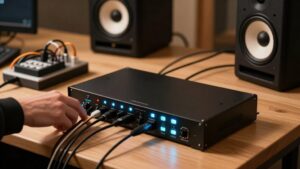
At home, you’ll often hit rack-space limits before a hardware compressor’s power draw becomes a concern, especially once a preamp, EQ, patchbay, and required I/O occupy additional 1U or 2U spaces.
A stereo hardware setup may require two compressor channels, doubling the rack, cabling, and interface-port footprint that a stereo plugin handles in one insert. While a few units won’t add much to your electricity cost, continuously running several analog processors with linear power supplies can make the watts, and the less convenient real-time printing workflow, worth calculating.
Rack Space Requirements
Before buying an outboard compressor, map the full rack footprint rather than judging it by a 1U faceplate alone. A compressor may occupy one rack unit, but its practical installation often requires adjacent mic preamp, EQ, interface insert points, or a patchbay. In a hybrid system, balanced I/O cabling and routing hardware also claim usable space, especially when you need accessible connections and correctly configured +4 dBu signal paths.
Count how many compressors you need online simultaneously; several channels can turn a compact home rack into a crowded serviceability problem, whereas plugins add no physical footprint. Leave clearance for cable bend radius and airflow, and verify the rack’s rail depth and mounting layout before you commit. This prevents cramped routing and difficult future system expansion.
Power Consumption Costs
Power cost rarely decides the hardware-versus-plugin question in a home studio, because most compressor units draw modest wattage beside a computer, monitors, or room heating. You’ll usually notice physical infrastructure before electricity on your utility bill. A single 1U or 2U unit may be efficient, particularly with a modern switching supply, but several processors change the practical equation:
- Each chassis consumes rack height and requires clearance for airflow.
- External PSUs, patchbays, and I/O cabling expand the footprint.
- Multiple always-on units add cumulative draw and ventilation needs.
Plugins avoid dedicated rack power and occupy no hardware space, although your computer and storage still use electricity. Consequently, compare total system footprint, not compressor wattage alone. Efficient, reliable supplies can also reduce your need for redundant hardware.
Parallel Compression Flexibility
With plugins, you can duplicate a track, blend in aggressive compression instantly, and automate that balance throughout the mix. Hardware can give the compressed return more distinct character when pushed, but you’ll need spare I/O, accurate routing, and level matching. Your DAW preserves recall and automation, while an outboard parallel chain demands manual documentation and reset time.
Instant Blend Control
Parallel compression exposes one of hardware’s most practical advantages: you can drive an outboard unit hard, then ride its wet/dry contribution by ear while monitoring the source in real time. Its reactive behavior becomes obvious as you blend: retain transients and clarity while introducing density, color, and weight. Use this approach to:
- Crush the hardware path until its character appears.
- Bring it beneath the dry signal rather than replace it.
- Adjust output continuously as the performance changes.
Plugins provide the same parallel concept with faster recall, simpler setup, and inexpensive variety. Analog-leaning options, such as Golden Compressor or T-Rack-style processors, narrow the response gap; Golden’s analog-deficiency control around 80% is one example. Still, when you’re shaping during tracking, physical output control lets you make immediate musical decisions.
Hardware Routing Constraints
Software makes parallel compression markedly more flexible because you can duplicate a track, compress the duplicate, and automate the wet/dry balance entirely inside the DAW. You can build internal splits as you need, keep the dry path, and blend a compressed return without consuming converters or patch points.
At home, an outboard parallel path needs spare interface outputs and inputs, correct +4 dBu gain staging, and a send-return route. You must account for round-trip latency so the wet signal aligns with the original. A hardware compressor may give the parallel channel color, but multi-stage chains or mix-bus processing force real-time printing.
In contrast, DAW routing lets you revise the blend non-destructively until commitment. For home setups, limited I/O makes software the faster parallel-compression solution.
Recall And Automation
Recall changes the comparison once you need to revise a parallel blend after the session. With hardware, guitar-level shifts, converter gain changes, or a different insert path can force you to rebuild threshold, ratio, makeup gain, and blend by ear. You’ll print the return in real time or commit it during tracking.
- Plugins store the compressor, routing, and send level with the project.
- You can automate parallel send or wet/dry levels for chorus-to-verse changes, then render offline.
- Hardware recall helps, but gain staging and component behavior may not reproduce yesterday’s result.
For home mixing, software wins on repeatable, dynamic parallel compression. Choose outboard when it already occupies a trusted chain and you accept reset time. Character may still justify it, but not faster revisions.
Hardware for Tracking, Plugins Mix
Hardware earns its strongest case at the tracking stage, where a proven preamp, compressor, and EQ chain lets you commit a deliberate tone before the signal reaches your interface. You capture the interaction of the circuit, gain staging, and performance in one intentional print, rather than trying to reconstruct it later.
For mixing, plugins usually give you the better trade. You get compressor colors, EQ, restoration, tuning, automation, instant recall, and unlimited instances for the cost of one 1176/1073-style chain. Top engineers finish competitive mixes in the box; hybrid users may send Pro Tools exports through inserts and print returns in real time.
Routing demands converters, cabling, latency control, and documentation. Use hardware to shape sources, then let plugins handle revisions and parallel processing.
Conclusion
At home, you’ll get the best return by matching the compressor to the job, not the mythology. Hardware gives you immediate tactile control, analog headroom, and dependable low-latency tracking when you commit during recording. Plugins give you recall, automation, portable sessions, multiple topologies, and flexible parallel routing without rack, power, or repair costs.
If you track critical vocals or instruments, one quality outboard unit can earn its place. Otherwise, plugins deliver greater practical coverage overall.