Open-Back vs Closed-Back Headphones for Mixing: Which Should You Trust?
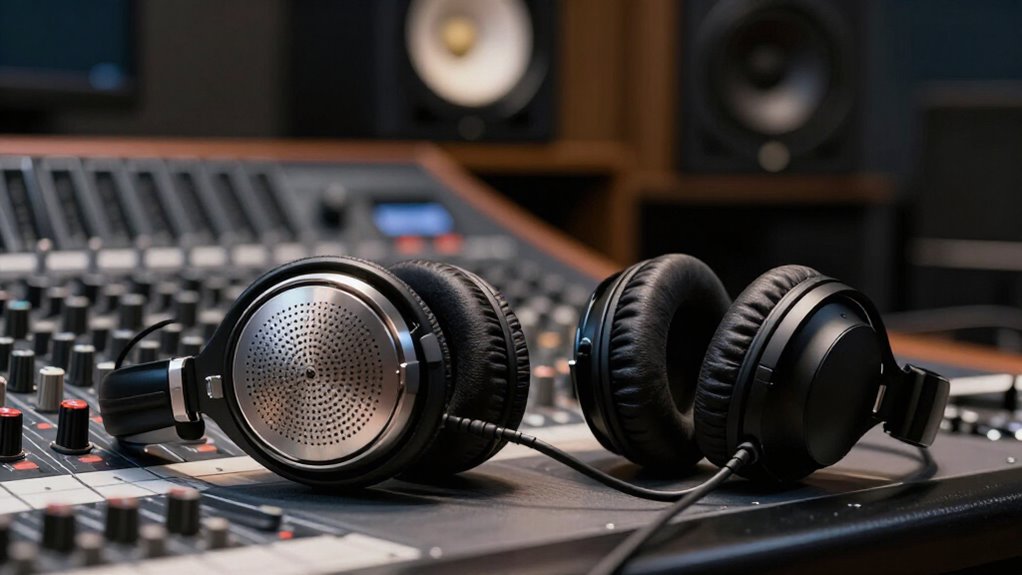
Trust open-back headphones when you mix in a quiet room and need natural tonal balance, wide imaging, and less sealed-cup coloration.
Trust closed-backs when noise, air conditioning, roommates, or an active microphone can mask detail or capture playback bleed.
Neither design replaces calibration: use familiar reference tracks, keep levels moderate, and check your mix in mono for phase and low-end problems.
Your room, fit, and workflow determine which compromises matter most, as comparisons ahead show.
Leakage Into Live Microphones
Open-back headphones vent sound in both directions, so their rear radiation can enter a live microphone’s pickup pattern; especially when the mic sits close to the performer and monitoring levels are high. You’ll hear this as bleed during vocal or instrument tracking; leaked playback reaches the capsule and contaminates the recorded signal.
| Condition | Result |
|---|---|
| Close mic | Higher bleed |
| High level | Stronger spill |
| Active tracking | Use isolation |
Bleed can smear transients and weaken separation, particularly when several microphones capture a performance simultaneously. You should treat open-backs as safe only when no monitoring microphone is active. Before recording, lower cue volume, verify mute states, and switch to closed-back monitoring for reliable isolation. This workflow preserves edit options and prevents headphone content from becoming part of the take permanently.
Vented Ear Cups vs Sealed
The same cup construction that determines microphone bleed also shapes what you hear while mixing: vented earcups use grills or perforations behind the driver, allowing air and sound to pass freely, whereas sealed earcups enclose the driver’s rear chamber. This difference governs your interaction with the room.
Vented drivers equalize pressure with surrounding air, but noise enters readily and your audio escapes. You’ll work dependably only in quiet space. Sealed cups contain the rear volume, reducing incoming noise and outward leakage. Isolation lets you inspect low-level artifacts or work near others without disturbance.
However, the enclosure produces reflections and pressure-related resonances; learn its response rather than assuming it behaves like a vented model. Select ventilation for controlled rooms and sealing when isolation is essential.
Stereo Imaging and Bass Accuracy
For stereo imaging, open-back headphones typically present a wider, more externalized soundstage because their vented construction reduces internal reflections that can blur spatial cues. You can judge pan placement, reverb spread, and left-right separation with less apparent enclosure coloration. Closed-back models often place images more centrally and compactly, since the sealed cavity changes perceived depth and localization; this can make a mix feel more inside your head.
For bass, open backs avoid much of the pressure buildup created by a sealed cup, so you may perceive low-frequency balance more naturally and consistently through minor fit changes. However, room noise and leakage can mask bass detail, making a quiet environment essential. When isolation is needed, compare bass on closed backs; containment reveals translation mix issues.
Reference Familiarity and Calibration
Accurate mixing decisions depend less on choosing one enclosure type outright than on learning how familiar headphones frame space, bass, and tonal balance. Anchor your expectations to known-good models, such as the open-back HD 600/650 and closed-back HD 280 Pro. Learn their signatures before trusting corrections: vented designs usually place images wider and farther outside your head, while sealed cups often present bass as tighter and more prominent.
Use the same reference tracks in every session, since open designs admit more ambient influence and make calibration environment-sensitive.
- Check kick and sidechain interaction for low-end translation.
- Compare snare body and vocal sibilance at matched levels.
- Reassess each cue after switching enclosure types; distinguish headphone effects from mix changes before committing tonal moves.
Air-Conditioner Noise Favors Closed-Backs
Choose closed-back headphones when an audible air conditioner adds steady hiss, rumble, and broadband masking to your workspace. HVAC noise raises the acoustic floor across low, mid, and high frequencies, obscuring microdynamics, reverb tails, and small balance changes. Sealed earcups attenuate that intrusion, so you can judge level relationships with fewer environmental variables.
They also limit outward leakage; your program material does not vent into the room and combine perceptually with the conditioner’s noise as readily as it does through open-back housings. This isolation is especially useful at the low end. Constant airflow and rumble can make bass seem less defined or encourage you to overcompensate.
Closed-backs provide a more stable perceived foundation, helping you assess kick, bass, and sub-bass balance. They’re often safer.
Replaceable Earpads Extend Service Life
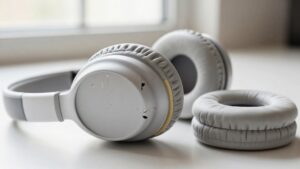
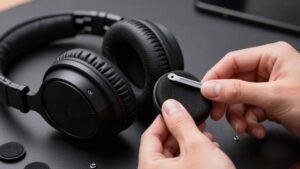
Beyond isolation, replaceable earpads protect the long-term consistency of your mixing reference. As pads compress, they alter driver-to-ear distance, seal, and clamp force, which can shift bass extension, imaging, and high-frequency accuracy. Replacing them restores the geometry your headphone’s voicing assumes, so you can mix from a reference rather than compensating for wear.
- Choose manufacturer-approved pads with matching material, thickness, and venting.
- Use screw-on or snap-on assemblies to renew pads yourself, not the entire headphone.
- Replace pads when cushion collapse or hot spots change fit during extended sessions.
Many open-back models support this maintenance directly. Compatible pads preserve intended acoustic loading; alternatives can measurably change frequency response despite identical drivers.
You’ll extend service life and maintain comfort without changing listening position for reliable fit.
High-SPL Monitoring Causes Fatigue
High-SPL monitoring accelerates cochlear stress, so extended reference listening and repetitive playback can produce ear fatigue even when your mix is technically balanced. At elevated levels, auditory sensitivity shifts rapidly, reducing your ability to judge spectral balance and transient impact consistently.
You may then chase details by boosting treble or correcting bass that doesn’t require adjustment, creating fatigue-driven errors. Closed-back designs can make the same SPL feel more tiring because their sealed enclosure retains heat and intensifies the sense of acoustic confinement. Open-back models vent air, so they usually feel more breathable during long sessions, though ventilation doesn’t eliminate cochlear load. Keep level as low as possible while preserving critical detail, take breaks between demanding playback passes, and recheck decisions after your hearing recovers.
Clamp Force and Ear Pressure
Clamp force determines how consistently your earcups couple to your head, directly affecting seal-dependent bass response. You’ll typically need more ear pressure from closed-back models to limit pad-edge leaks, while open-back designs usually remain more consistent with lighter clamping.
Monitor pad compression and discomfort, because either can shift fit during a session and skew low-end EQ judgments.
Clamp Force and Fit
Fit directly affects mixing accuracy because clamp force determines how consistently each driver sits against your ears. You need stable cup placement to preserve a repeatable tonal and spatial reference. On closed-back models, a slightly tighter seal can raise bass output, while a looser fit can thin the low end. Open-back headphones remain sensitive to placement, but their unsealed rear architecture usually produces smaller bass shifts.
- Check that both cups contact symmetrically; asymmetric clamp can skew perceived balance and stereo imaging.
- Reassess fit after adjustments: moving either cup changes the reference you use for EQ decisions.
- Favor designs with compliant pads and pressure-relieving headbands, which maintain consistent positioning during extended sessions without requiring frequent repositioning. This stabilizes low-frequency and imaging judgments across a session.
Managing Ear Pressure
Managing ear pressure matters because excessive headband tension and pad contact fatigue you before your listening judgment does. Open-back models often apply lighter clamp and vent airflow behind the driver, reducing sustained compression, heat, and sealed-cavity pressure sensation. Closed-back housings usually need a more stable seal, so they can feel tighter as heat accumulates around your ears.
Check fit after 20 to 30 minutes: soreness, hotspotting, or distraction indicates excessive contact pressure, regardless of sound quality. Adjust the headband or select different pads or cup geometry. Aim for stable positioning, not a hard seal; excessive loading can alter your ear’s interface with the pad and accelerate fatigue, undermining consistent mixing decisions.
If adjustments don’t help, choose another design for you before a long session without compromising comfort.
Apartment Podcast Editing
In a quiet, controlled apartment, you can use open-back headphones to assess speech EQ and midrange detail naturally. If traffic, TVs, or roommates raise the noise floor, choose closed-back headphones to isolate your monitoring and prevent playback from bleeding into a nearby microphone.
Match the design to your environment: open-back for accurate tonal judgment, closed-back for reliable isolation.
Managing Room Noise
When you edit a podcast in an apartment, room noise directly affects what you can hear and judge. Open-back headphones may sound natural and expose fine detail, but they provide no isolation. Voices, television, music, and hallway activity can mask quiet consonants and room tone, especially at low monitoring levels.
- Choose closed-back earcups when others are home; their seal blocks outside sound and stabilizes your reference.
- Evaluate level, EQ, and compression decisions without compensating for intermittent apartment noise.
- Reserve open-backs for quiet windows, or use controlled volume so external sound doesn’t distort your judgment.
Closed-back models create a practical sound bubble, so you can maintain consistent monitoring across edits. Their seal also improves focus in shared rooms during extended sessions when interruptions are likely.
Preventing Microphone Bleed
Microphone bleed occurs when headphone playback reaches the capsule and prints onto the podcast track, complicating edits with audible echoes, music, or guest audio. In an apartment setup, use sealed, closed-back headphones while recording or editing near an active microphone; they limit outward leakage and block incoming sound. Keep the earcups outside the microphone’s primary pickup axis and aim the mic away from them to reduce direct exposure. Set monitoring volume only as high as necessary; louder playback raises the bleed level and increases later EQ or noise-reduction work.
If you must use open-back headphones, record a short spoken test while program audio plays. Inspect the mic waveform and listen for leaked content before committing to the session. Repeat after changing placement or level.
Choosing Monitoring Isolation
For apartment podcast editing, choose sealed, closed-back headphones because they isolate outside noise and limit playback leakage through shared walls. Their sealed earcups reduce ambient masking, so traffic, HVAC noise, and neighboring voices won’t skew your judgments of EQ, edits, or low-level artifacts. They also contain playback, protecting neighbors and preventing spill from becoming a practical constraint.
- Choose Sennheiser HD 280 Pro or Audio-Technica ATH-M50x for dialogue-focused isolation.
- Check sibilance, plosives, breaths, and room tone at conservative monitoring levels.
- Reserve open-back headphones for controlled, quiet sessions and a secondary perspective.
Open designs can reveal a wider, more natural soundstage, but their vented backs admit external noise and radiate audio. In shared housing, that compromises both analytical accuracy and courtesy. Use closed-back monitoring for editing.
Check Mono Compatibility First
Check mono compatibility before judging whether open-back or closed-back headphones suit your mixing workflow. Mono exposes phase errors, channel imbalance, and low-end cancellation that stereo playback can mask. This test matters more than enclosure design: either headphone type may sound accurate in stereo yet fail when its channels collapse to one.
On open-backs, the broad soundstage can make left-right placement seem convincingly separated; mono verifies that vocals and instruments stay centered, balanced, and audible. On closed-backs, the sealed presentation can feel concentrated inside your head, so mono confirms it isn’t concealing out-of-phase content.
Build the check into every session: briefly pan key elements hard left and right, switch the monitor path to mono, then assess kick and bass weight, lead-vocal level, and stereo-effect stability.
Conclusion
You shouldn’t trust open-back or closed-back headphones blindly; match the design to your monitoring conditions. Use closed-backs when microphones, air-conditioning, neighbors, or high ambient noise demand isolation. Use open-backs when you need stable stereo cues, lower ear pressure, or more natural long-session judgment.
Calibrate either model, learn its bass limits, and verify references. Then check mono compatibility and translate mixes on speakers. Your decisions, not cup geometry, determine reliable results across diverse playback systems consistently.